
A collection is a family of designs built to work together: covers, carousel slides, quotes, data, closings. The active collection is the one all your new content uses.
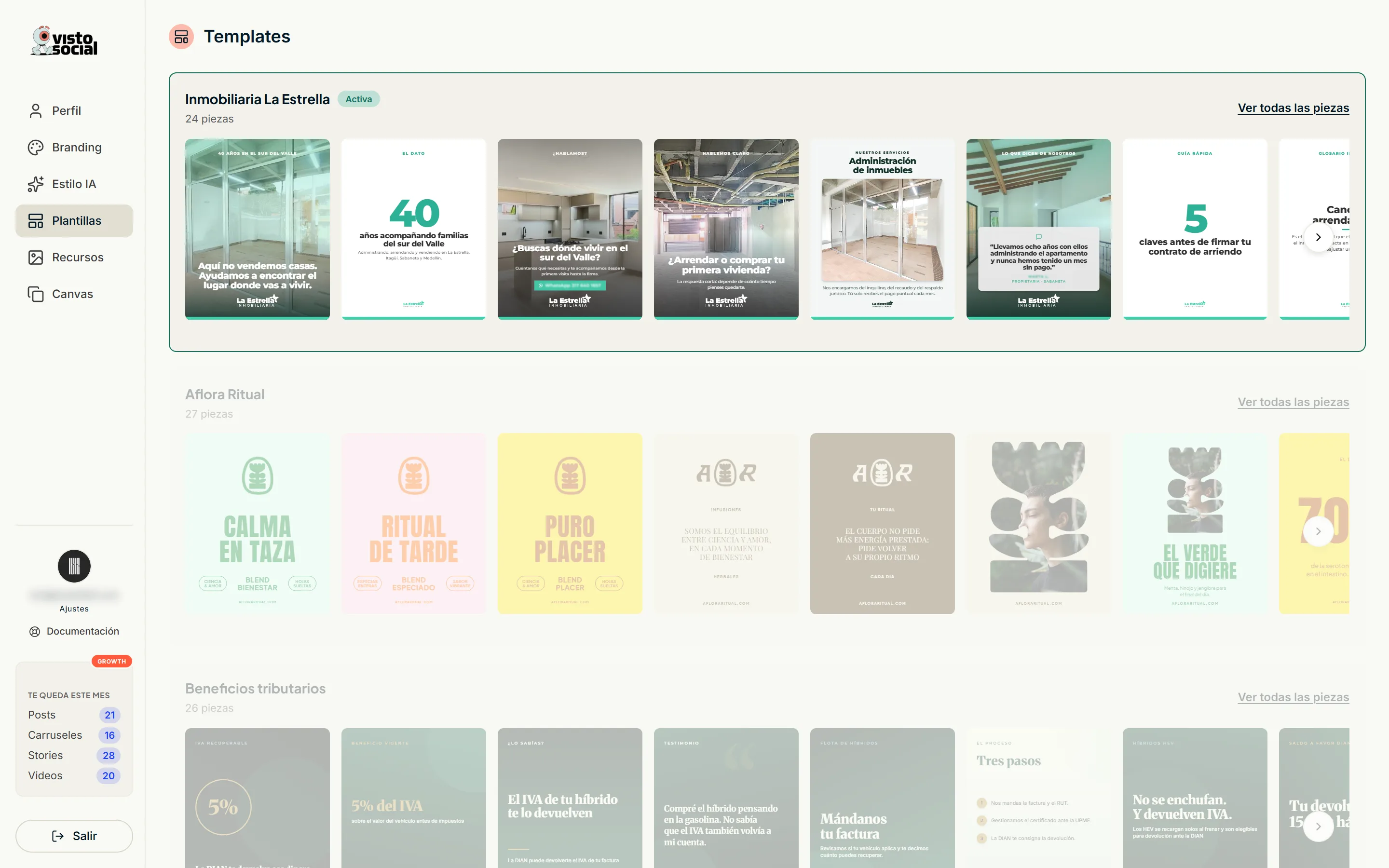
Picking your collection
- 1Open a collection to see all its pieces.
- 2Tap «Use this collection». It replaces the previous one right away.
- 3What you already generated doesn't change: the collection applies to new content.
Dress it with my branding
It's a per-collection switch. Off, the collection shows its original design and logo. On, it shows your colors, your typefaces and your logo - the ones you set in Branding.
Every collection looks different dressed. Flip it on and off to compare: the change is instant and breaks nothing.
Private collections
Some collections show up marked as private. They were built for another brand, so they can't be used. We show them so you can see how far Visto goes.
Tuning it piece by piece
- Rename a design so you recognize it later.
- Hide the ones you never want used.
- «When to use this design» - an instruction in your words that the AI reads when picking a template. For example: only for a post made from the gallery.
- Tags - the same tag you put on your photos and your spreadsheet, for custom instructions.