
AI Style
How it writes, how your images look, which voice it speaks in and where it researches.
Writing instructions
Here you pick the shape of the post: how it's built, at what rhythm, whether it goes in steps or as a story. Your rules - how you talk and what you never say - aren't chosen here: they live in your Profile and always win. Changing the shape never touches your rules.
Specific instructions are rules the AI always follows when writing. For example: «never use the acronym, spell it out in plain words».
Custom instructions
They're for the repeatable stuff: publishing your catalog, your listings, your vehicles, your menu. The data comes from your document - the AI doesn't make it up.
- 1Put the same tag on your photos, your spreadsheet and the designs you want to use with them.
- 2Pick that tag in AI Style. Visto reads everything and proposes the recipe.
- 3Confirm the proposal. From then on it generates on its own.
Each recipe can run on a cadence (a percentage of the week's posts) or stay on demand, for when you ask. You can rename them, improve them by chat or remove them. Available on Pro.
Voice
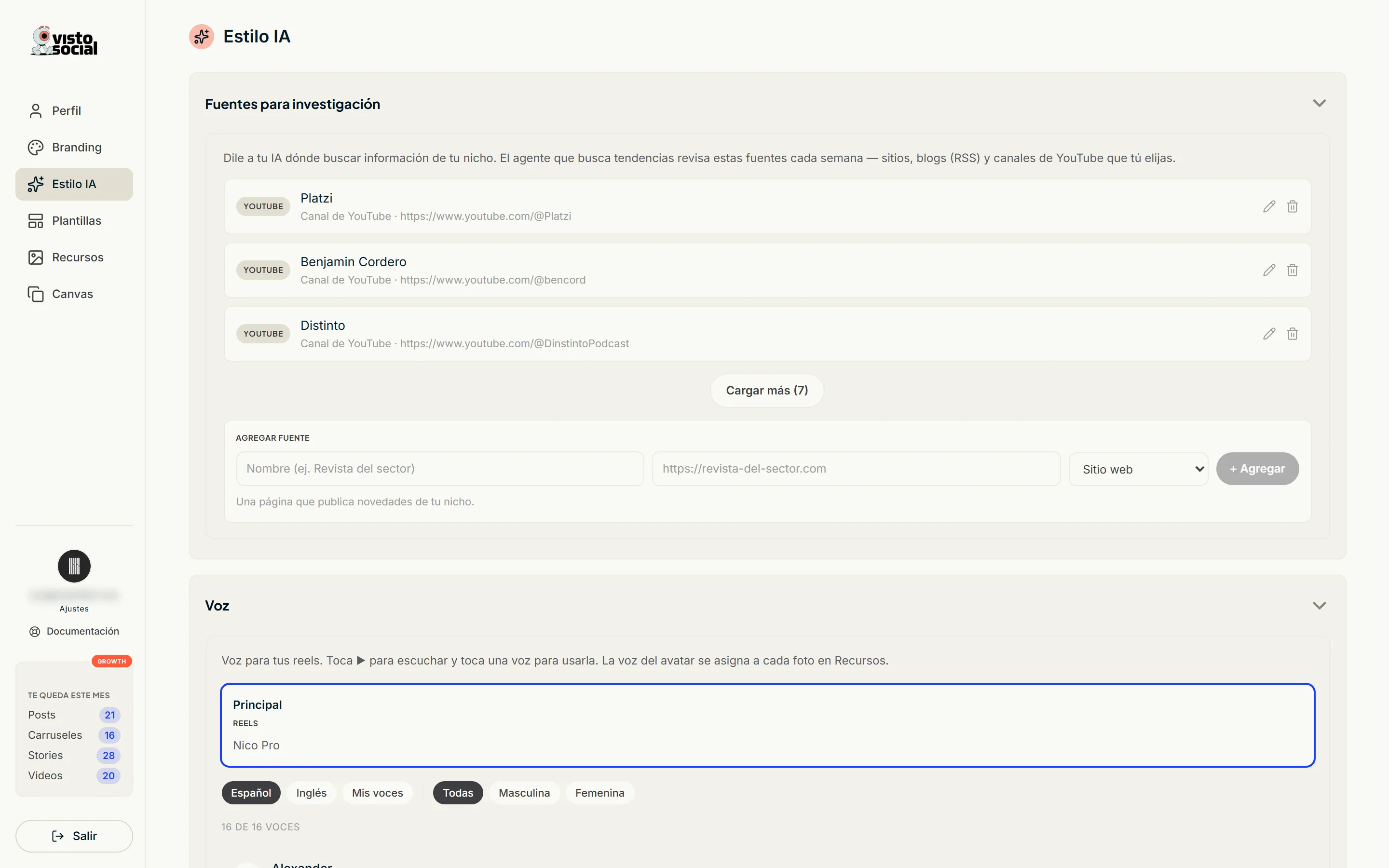
- Pick your reels' voice from a library. Tap ▶ to hear it.
- You can clone your own voice. The instant clone needs a minute of audio and is ready in seconds.
- The professional voice trains a dedicated model with 30 minutes or more of clean audio, and asks you to verify by reading a short text out loud. It's a Growth feature.
- The avatar's voice isn't picked here: it's assigned per photo in Assets.
Image instructions
Tell it in your own words how AI-generated photos should look: style, light, framing, what to avoid.
Research sources
Tell Visto where to look. Add sites from your sector, blogs via RSS and YouTube channels. The trend agent checks them every week. Without your sources it searches general ones.