
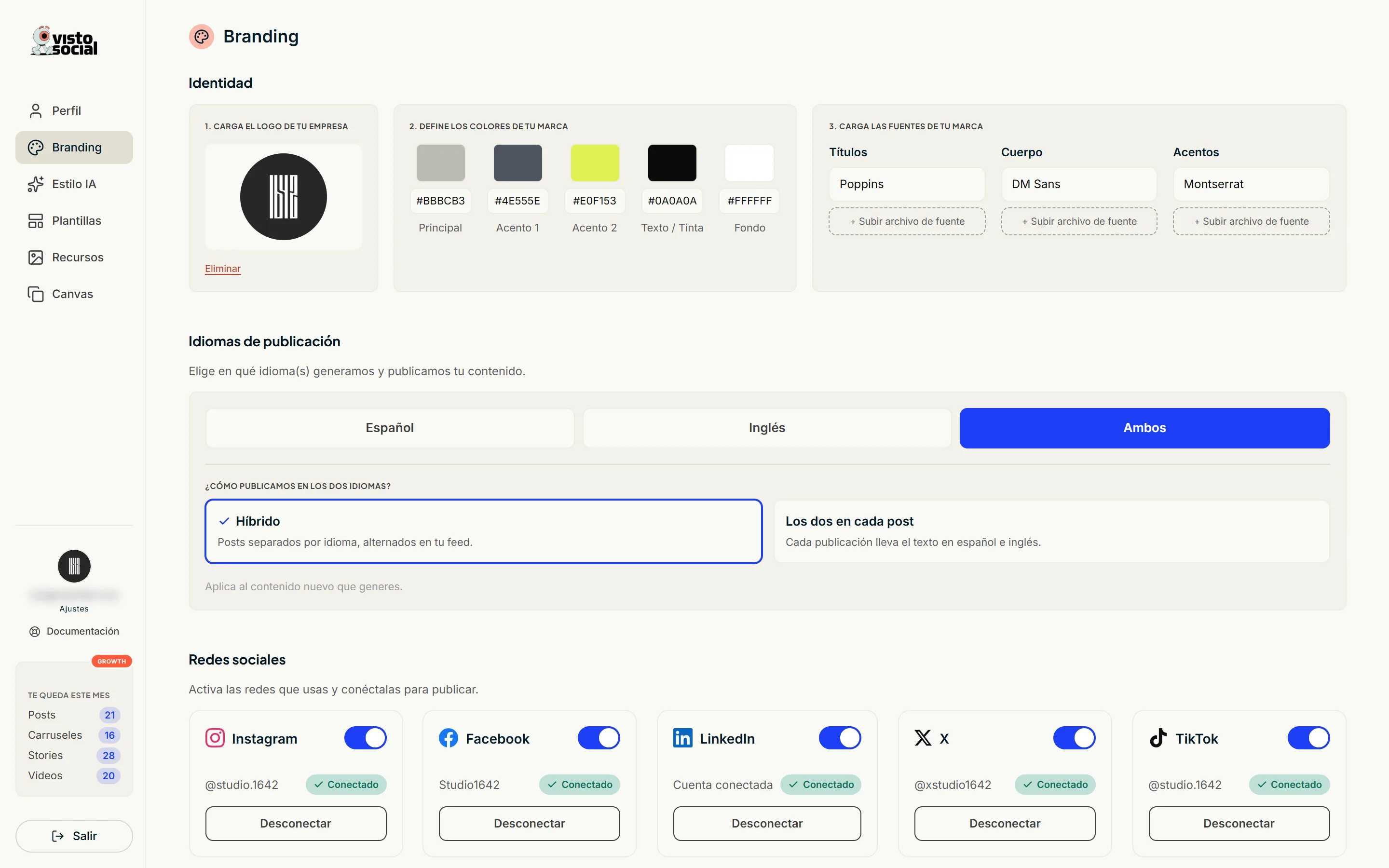
Identity
- 1Upload your company logo. It's used on your pieces and as your profile picture inside the app.
- 2Set your colors: primary, accent 1, accent 2, text and background.
- 3Upload your typefaces: headings, body and accents. You can upload the font file itself.
This is what gets used when you turn on «Dress this collection with my branding» in Templates. With nothing loaded, that switch has nothing to work with.
Social networks
Turn on the networks you use and connect them. A network that's off receives nothing, even if it's connected.
- Instagram and Facebook connect together, in a single step.
- LinkedIn connects separately and its permission expires every couple of months: when you see it in yellow, reconnect it.
- TikTok and X connect from here. Automatic publishing currently goes to Instagram, Facebook and LinkedIn.
What Meta asks for before connecting
- A Facebook Page. Your personal profile won't do: Meta doesn't allow publishing to it from another app. A Page is free and is created from your own profile.
- Your Instagram as a professional account (Creator or Business), linked to that Page. Heads up: a professional account can't be private.
The detail that trips almost everyone: on the «Choose the Pages» screen, Facebook leaves the checkboxes empty. Tick yours by hand - the Instagram one comes pre-checked.
Posting languages
Choose which language your content is generated and published in: Spanish, English or both. With both, you decide whether separate posts alternate in your feed or each post carries both languages. Applies to new content. Available on Pro and Growth.
The posting language isn't the app language. The app one lives in Settings and only affects what you see.